UX DESIGN PROCESS & COGNITIVE ERGONOMICS
The Anatomy of Intention:
How UX Rigor Shapes Civic Radar
How human factors engineering, cognitive psychology laws, and Nielsen's heuristics translate radical empathy into high-velocity, life-critical civic infrastructure. Good civic design does not demand executive functioning during panic; it relies on intuitive muscle memory, predictable patterns, and zero-friction ergonomics.
Low-Cognitive-Load Reality: Interface Design for High-Stress Moments
Life-Critical Accessibility: In high-stress civic emergencies—where a misplaced item (Vault Asset), a lost pet, or a sudden medical episode demands immediate clarity—software design ceases to be a decorative luxury. It becomes life-critical infrastructure. Traditional safety platforms often fail under pressure, burying vital actions behind nested menus, clinical forms, or overwhelming notifications.
Rooted in our empathy, kindness, and care philosophy (EKC Philosophy), Civic Radar applies progressive disclosure across all screens: presenting only what is needed in the moment while keeping deep administrative tools out of sight until explicitly requested.
Color Discipline as an Information Radar
Color in Civic Radar is never decorative; it serves as a clear visual signal system for both day and night use:
-
•
Obsidian Base: Extreme dark mode surfaces engineered to eliminate eye strain during nighttime operations and preserve mobile battery life.
-
•
Signal Yellow: Reserved exclusively for active user controls, primary calls-to-action, and interactive pins on the interactive map (The Sweep).
-
•
Warm Amber: Communicates active radar halos, pending custody transfers, and time-sensitive ambient notifications across emergency broadcast channels (The Frequencies).
-
•
Guardian Crimson: Strictly isolated to high-priority emergency declarations and medical overrides (Life-Safety Override)—never applied to routine notices.
Nielsen’s 10 Usability Heuristics: Applied to High-Stakes Civic Action
Civic Radar continuously audits its interface states against Jakob Nielsen’s 10 Usability Heuristics to eliminate operational friction and human error under pressure.
Clear Real-Time Feedback: Real-time status badges (LOST, STOLEN, RESOLVED) keep standard community members (Citizens) instantly informed without confusion. Active hazard pins on the interactive map (The Sweep) feature time-fading halo rings (Chrono-Rings) that gradually dim as events expire, while municipal coordination views display live typing indicators and instant delivery confirmations across emergency broadcast channels (The Frequencies).
Address autocompletion speeds up municipal declarations. Lost item recovery forms present visual category pills (Keys, Laptop, Pet, Bag) so finders select context instantly.
Adopts an intuitive radar terminology (Radar Lexicon)—naming tools the interactive spatial map (The Sweep), dedicated emergency broadcast channels (The Frequencies), the secure asset registry (The Vault), active neighborhood contacts (The Blips), subtle audio pulses (The Chirps), and clear status notifications (The Pings).
Single-handed radial quick-drop menus (Radial Menus) give field officers fast, tactile control on the move. Municipal power-users (Guardians) execute emergency declarations effortlessly using native keyboard macros.
Every unintended swipe action triggers a gentle 3-to-5-second undo banner (Undo Buffer) to instantly reverse mistakes. During account closures or transition periods, designated trusted backups (Stewards) receive a 48-to-72-hour grace window (Proof of Life Ping) to protect household records and prevent accidental data loss.
Emergency broadcast channels (The Frequencies) are completely stripped of distracting vanity metrics like "likes," follower counts, and competitive leaderboards. Every interface focuses strictly on scannable, actionable mutual aid and clear situational awareness when time matters most.
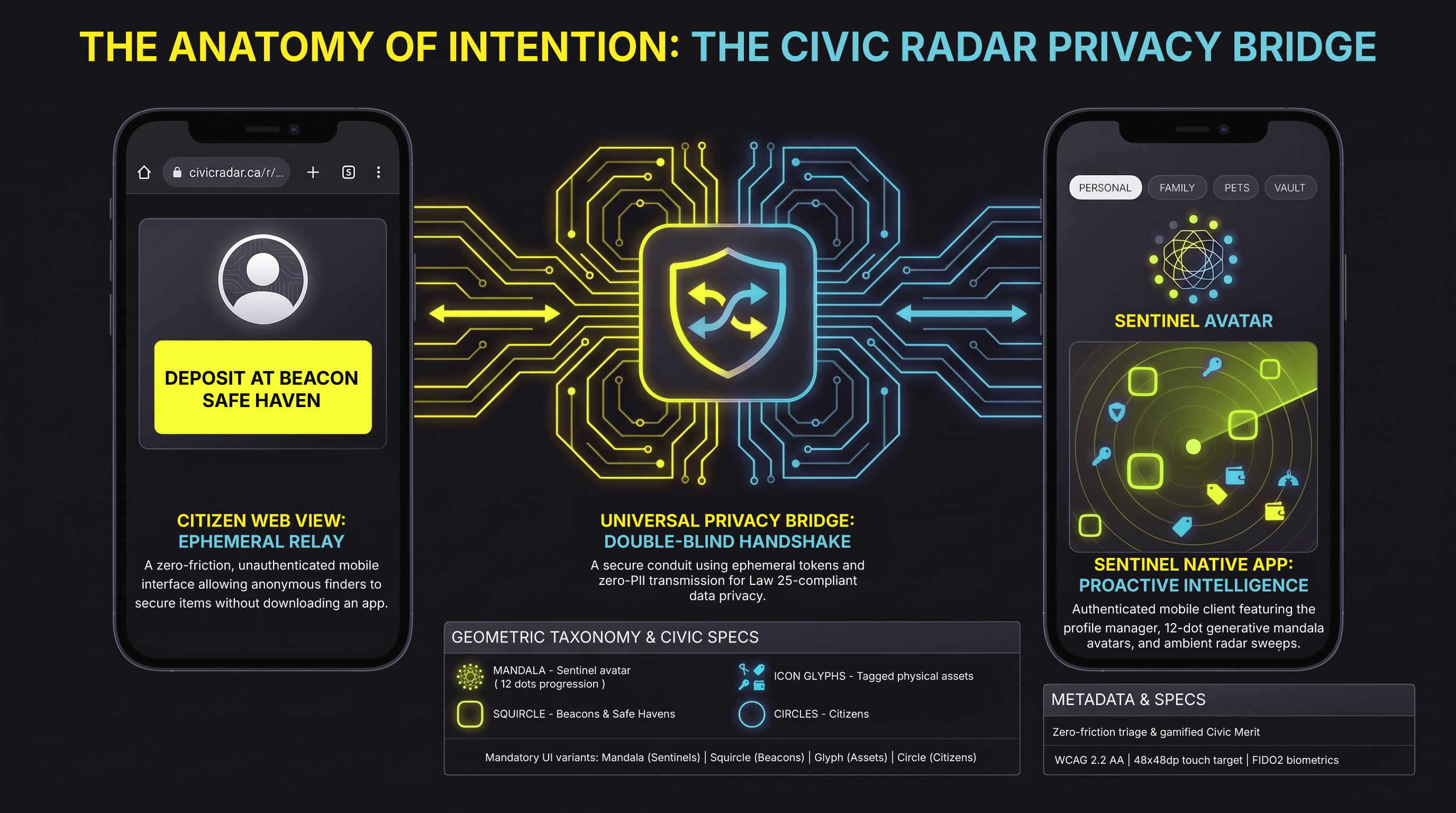
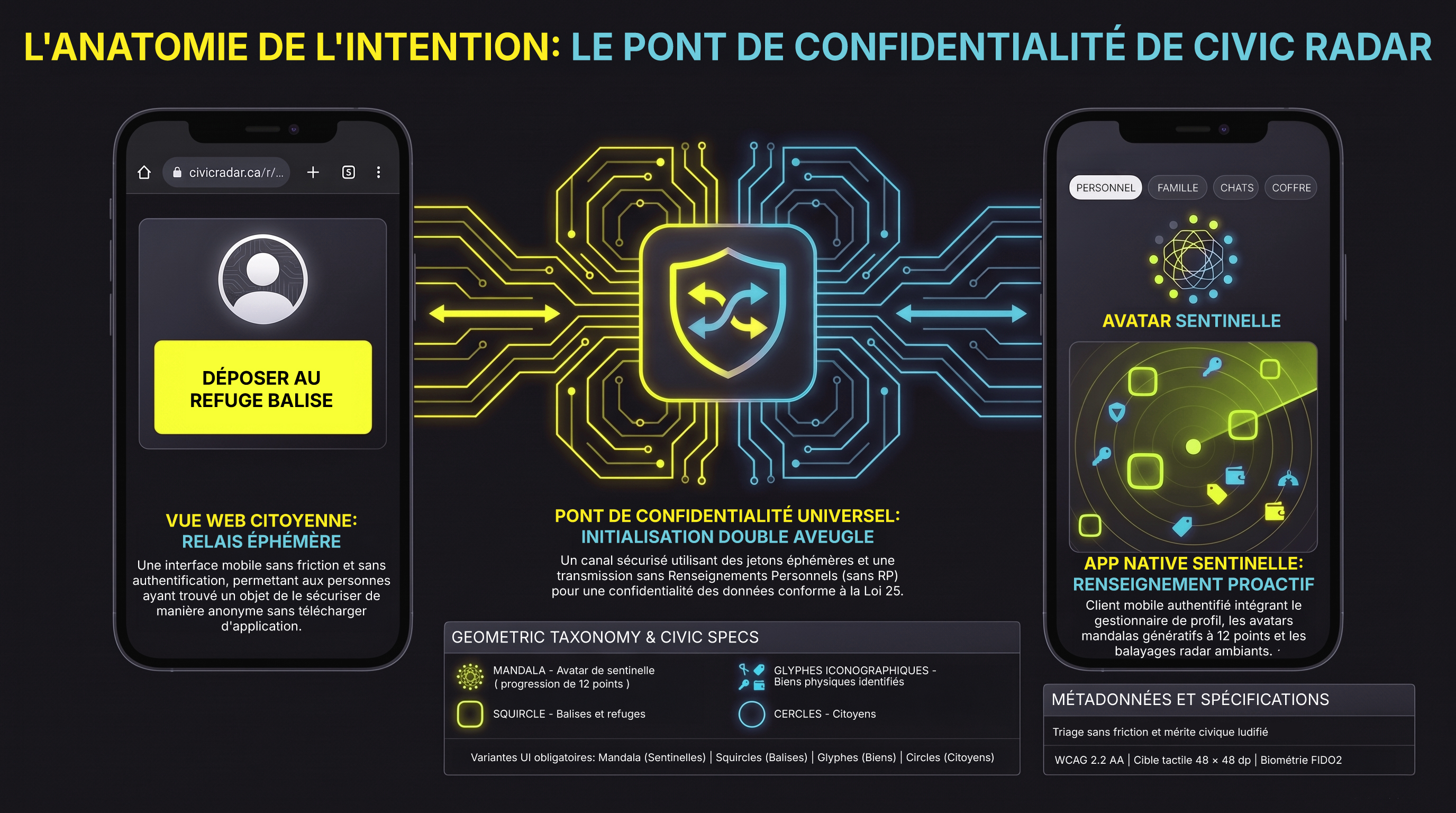
Enforces strict visual standards across all screens: active community guardians (Sentinels) are represented by 12-dot mandalas (Mandala 12-Dot Ring), standard users (Citizens) by circles, commercial sanctuaries (Beacons) by soft rounded squares, and registered belongings (Vault Assets) by clear, intuitive category icons.
When an unassigned or deactivated recovery sticker or bag tag (Asset Tag) is scanned, the web interface presents a clear, respectful "Disconnected Tag" message instead of a cold system fault—protecting user (Citizen) privacy while guiding the finder gently to help.
Map interactions utilize a long-touch charging dial (Long-Touch 350ms Charge) to eliminate accidental pin drops on the interactive map (The Sweep). High-impact safety broadcasts spanning over 1 km enforce the dual-hardware protocol (Double-Custodian Dual-Hardware) to prevent false alarms across dedicated emergency broadcast channels (The Frequencies).
Standard community members (Citizens) access plain-English guides, quick 5-step interactive tours, and a stress-free rehearsal space (Panic Sandbox) to practice issuing emergency alerts across dedicated emergency broadcast channels (The Frequencies) before a real crisis ever happens.
Accessibility (a11y) as the Ultimate Expression of Compassion (EKC)
Under our core philosophy of empathy, kindness, and care (EKC Philosophy), accessibility is a fundamental commitment. A community safety network that fails an elderly citizen with hand tremors, a colorblind resident, or a visually impaired pedestrian compromises public trust. Civic Radar meets strict accessibility standards (WCAG 2.2 AA) across every interface to ensure no one is left behind:
-
•
Packaging
Designed for effortless opening using plastic-free pull tabs, Grade 2 Braille labels, and tactile notches so anyone can orient the box by touch alone. -
•
Hardware Tags
Made with non-reflective matte vinyl and raised outer edges, allowing recovery stickers and tags (Asset Tags) to be identified instantly without needing sight. -
•
Touch Screen Controls
Buttons feature large, easy-to-tap targets (48×48dp) with generous spacing to eliminate accidental taps during stressful moments. -
•
Visual Reading Clarity
High-contrast text supports enlargement up to 200% without overlapping text or requiring horizontal scrolling, keeping safety updates easy to read on any device.
6 Cognitive Psychology Laws: Engineering Around Human Panic
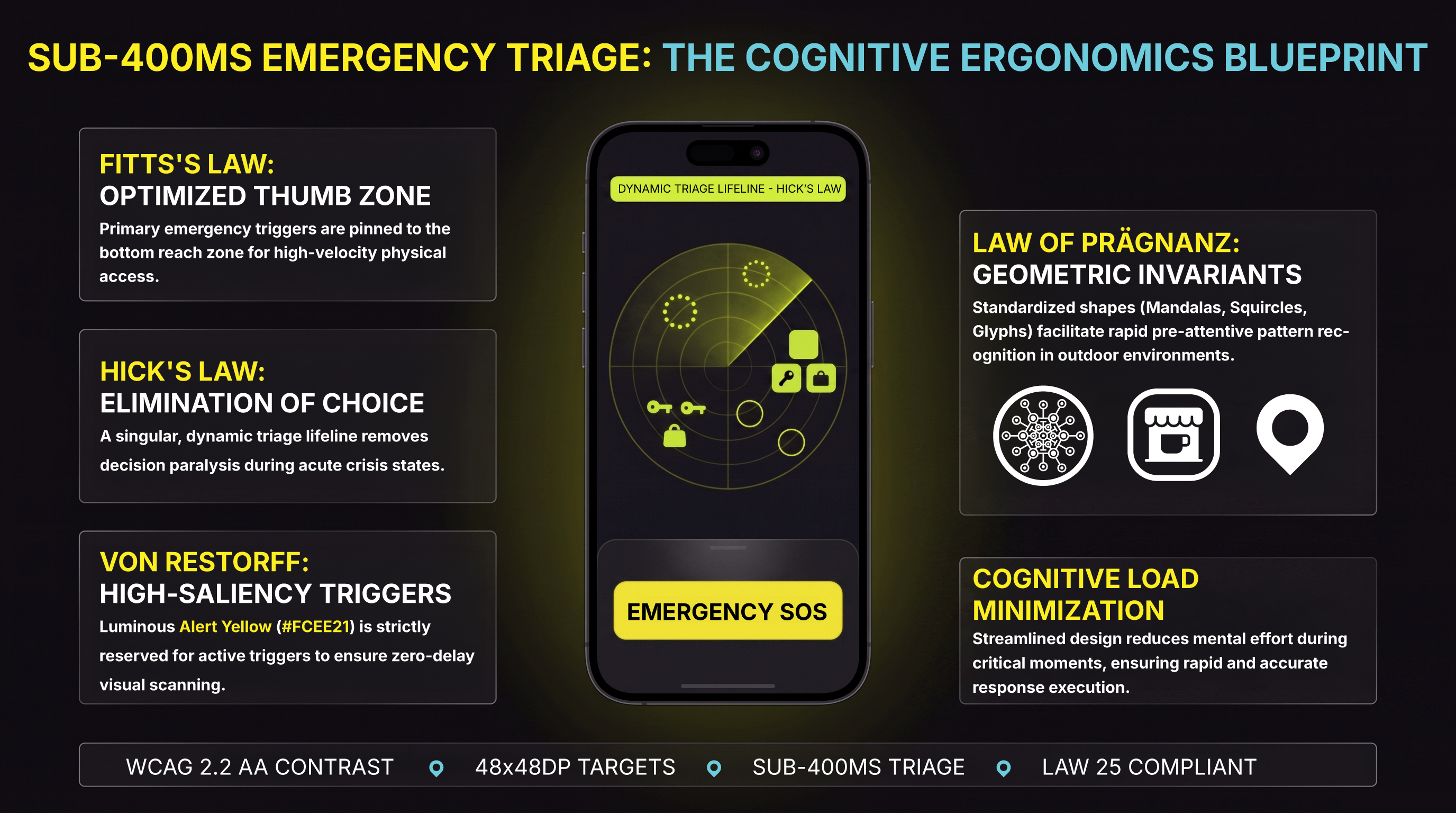
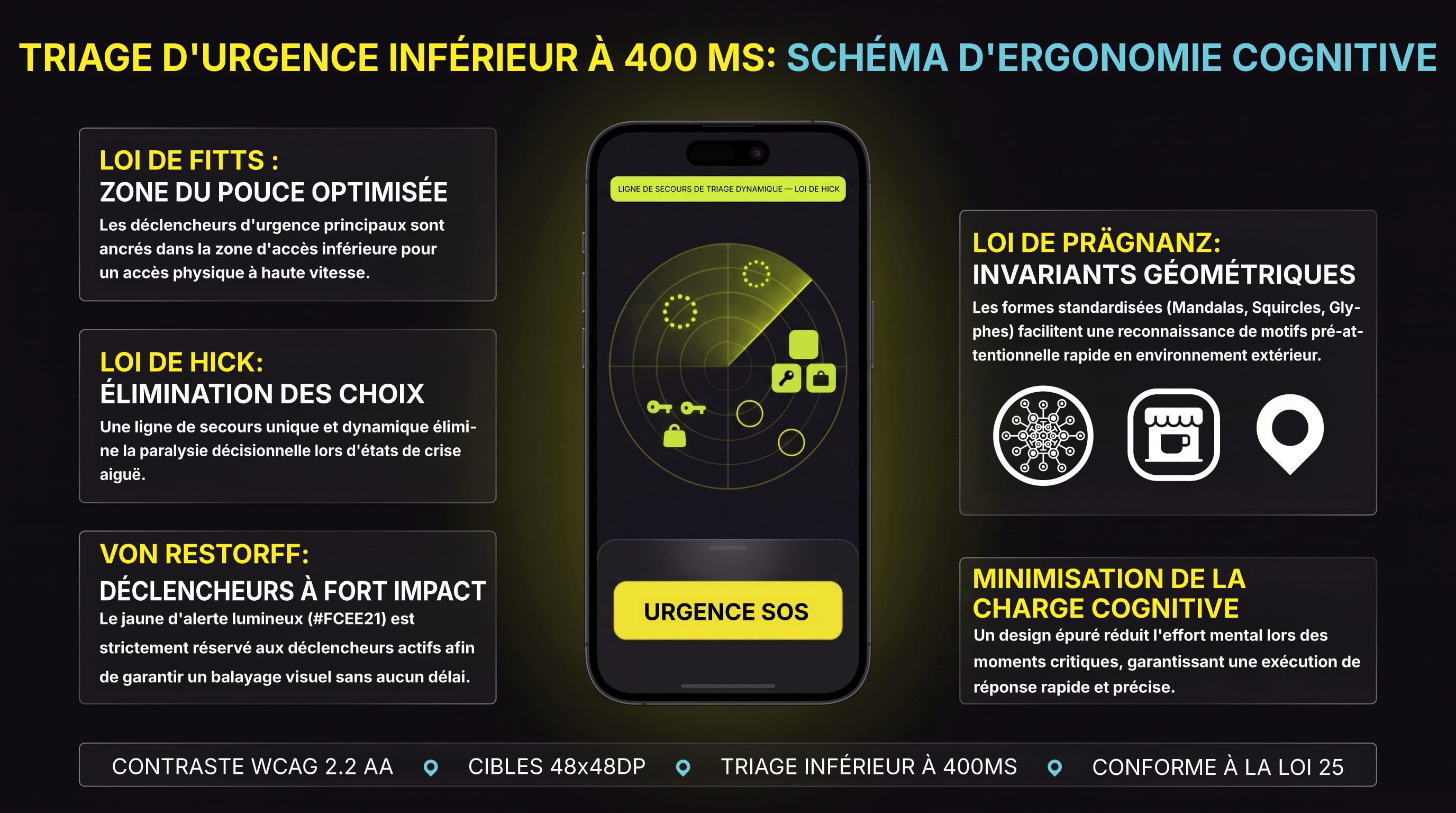
To ensure software interactions feel natural under stress, Civic Radar incorporates foundational laws of human-computer interaction and Gestalt psychology:
Critical emergency triggers stay pinned to the bottom thumb area (Thumb Zone) for immediate one-handed access, while safety updates across broadcast channels (The Frequencies) occupy fixed, easy-to-reach targets.
Eliminates decision paralysis during high-stress moments by dynamically surfacing the single most urgent option to the top of the screen.
Complex actions are broken down into clear, 4-step guided flows (Context ➔ Timeline ➔ Item Tags (Asset Tags) ➔ Hand-Off) to keep information simple to process.
Emergency dashboards mirror familiar, split-screen layouts so active community guardians (Sentinels) and dispatchers can coordinate help instantly.
Clean, dark-mode backgrounds (grey tones) and uncluttered layouts project calm and order, helping lower anxiety when every second counts.
Map controls, status updates, and verified local business sanctuaries (Safe Havens) are visually grouped together in clear cards so spatial information makes sense at a glance.
INTENTION-DRIVEN DESIGN
Simplifies over 400 features into a clean dark-mode interface (Obsidian Base) that shows users only what they need in the moment, keeping panic low when speed matters most.
HEURISTIC MASTERY
Enforces consistent visual standards across every screen—using 12-Dot Mandalas (Mandala 12-Dot Ring) for active community guardians (Sentinels) and soft rounded squares for commercial sanctuaries (Beacons) so information is instantly recognized.
RADICAL ACCESSIBILITY
Built for every community member (Citizens), featuring large tap targets, high-contrast text that scales smoothly without breaking layouts, and tactile packaging for visually impaired users.
6 COGNITIVE LAWS
Engineered around natural human psychology—from thumb-friendly controls (Thumb Zone) to calm dark-mode screens (Obsidian Base)—de-escalating panic and ensuring actions take under half a second.
Audio overview transcript
This is the brief on Civic Radar's user experience architecture. You know, in a neighborhood emergency, like a missing child, software isn't just a luxury, it's life-critical infrastructure. Using a cluttered app is kind of like searching a messy desk during a fire. But Civic Radar completely rewires this with a frictionless design that actively de-escalates panic.
First, the whole system is built on an empathy, kindness, and caring framework. Their motto, it is nice to be kind, isn't just a slogan, it's the actual neurochemical truth here. Through progressive disclosure, low-stakes sliding panels replace jarring, high-stakes pop-up screens, which completely eliminates cognitive overload when seconds matter.
Second, colors are weaponized for clarity, acting as a pre-attentive signal system. They start with an obsidian dark mode base for nighttime comfort and battery preservation. Alert yellow strictly drives active controls. Warm amber handles ambient halos. And Guardian Crimson is fiercely isolated for top priority emergency declarations. Next, who you are changes your flow. An anonymous zero-install web relay for everyday Citizens versus an authenticated cockpit for Sentinels. They use strict geometry too, like circles for humans, squircles for Beacons, and semantic glyphs for secure items. Why does geometry matter in a crisis? Because your brain processes a shape long before it reads a label.
Finally, the design leans on Jakob Nielsen's usability heuristics, featuring long-touch charging dials to prevent accidental triggers and dignified error pages. It strictly adheres to Web Content Accessibility Guidelines version 2.2 AA standards with 48x48 pixel tap targets, grade 2 braille tags, and 200% text reflow. Applying the laws of Fitts, Hick, and Miller guarantees comprehension in under 400 milliseconds. Civic Radar proves that the ultimate expression of empathy in technology is absolute accessibility and clarity.